





Product
Transform Your Data Research Workflow with Powerful AI Analytics
Data Analytica processes raw qualitative and quantitative data, cleans it, identifies themes, builds charts and tables, and delivers a clear, ready-to-use data research report fast.
Eliminate manual drudgery with powerful automation
Data Analytica automates workflow end to end so you skip tedious manual busywork daily and stay focused on research decisions.
Statistical tests correlations regressions trends models
Run statistics, correlations, regressions, hypothesis tests, and trend models so your quantitative findings stay rigorous, reproducible, and defensible across stakeholders.
Qualitative themes coding sentiment patterns insights
Extract themes, codes, categories, patterns, and sentiment from interviews, surveys, and transcripts so qualitative insights stay clear, organized, and defensible.
Reports blending charts tables summaries interpretations
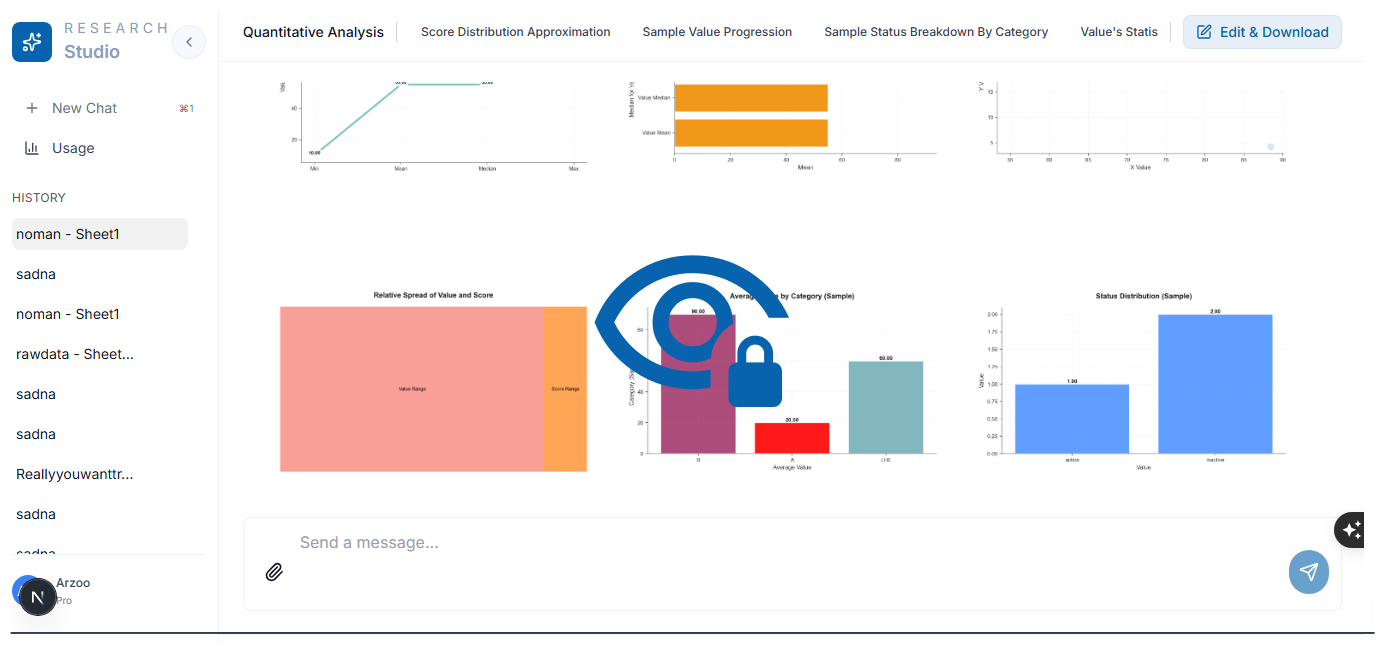
Charts, graphs, tables, summaries, and interpretations merge evidence with narrative so your team ships publication-ready outputs without rebuilding visuals manually.
Simplify imports with broad format compatibility
Import CSV, Excel, JSON, PDF, Word, and text into one workspace so datasets unify without tedious conversions or manual preparation.
Intelligent automated dataset cleaning and preparation
Standardize columns, fill gaps, detect outliers, and prep datasets so downstream statistics and qualitative themes stay trustworthy, comparable, and analysis-ready.
Analysis
Quantitative and Qualitative Insights, Unified
Get rigorous numbers and rich context in one workflow. Data Analytica runs statistical tests and trend modeling while also extracting themes and sentiment—then merges everything into a single, clear story.
Quantitative analysis
Measure what’s happening with structured, reproducible results you can defend.
- Descriptive stats & distributions
- Trends, correlations, and regression
- Data science workflows and experimentation
Qualitative analysis
Understand why it’s happening by converting raw text into reliable insights.
- Theme and code extraction
- Sentiment and pattern detection
- Interview / survey synthesis
Mixed-method synthesis
Connect evidence across methods so findings are easy to communicate.
- Triangulate themes with metrics
- Explain outliers with context
- Publish-ready narrative + visuals
Real-World Use Cases
Get Fast and Accurate Results for Data Research Workflows
Stop spending hours on manual analysis. Data Analytica handles tests, themes, charts and summaries automatically, giving you fast, accurate results for data research workflows.
Immediate Results Without Delays
Receive immediate results after each run so you never wait hours or days for manual tabulation, recoding, or spreadsheet cleanup that slows your research progress.
Context Aware Data Interpretation
Our advanced AI reads nuance, context, and structure across your dataset to deliver defensible interpretations that explain patterns, caveats, and implications without shallow generic summaries.
Professional Figures For Publication
Generate polished charts, tables, and figures that meet rigorous academic styling and professional publication standards so external reviewers can read your results clearly without rework.
Complete Thesis Report Ready
Deliver complete analysis reports with structured sections, tables, and narrative you can paste into theses, dissertations, or journal submissions while keeping citations and methodology aligned.
Prompt Led Custom Analysis
Shape tailored analysis around your prompt, hypothesis, or research question so outputs, tests, and visuals align with objectives instead of generic boilerplate missing your focus.
Supervisor Friendly Team Sharing
Export and distribute results in clean PDFs, tables, and summaries ready for supervisors, peer review, team collaboration, and publication workflows without losing formatting or context.
Resources
Perfect Solution for Students and Data Researchers Across Industries
Data Analytica supports data researchers, students, analysts and teams by simplifying complex data work, improving accuracy and delivering clear insights without manual effort or technical skills.
- Master's & PhD students
- University data researchers
- Faculty and supervisors
- Social science data researchers
- Medical & clinical data researchers
- Business analysts
- Thesis writers
- Market data researchers
- Anyone who needs fast, accurate data insights
Students
Data researchers
Academics
Professionals
Process
Simple Process That Works From Start to Finish
Upload your data, ask what you need, and Data Analytica automatically cleans, processes and converts everything into clear insights, charts and structured results.
Upload Your Data
CSV, Excel (XLSX, XLS), JSON, PDF,and Word (DOCX, DOC); we support all major formats and our system automatically validates and prepares your files for analysis.
Enter Your Data Research Question
Ask anything about your data and our AI understands your data research needs to tailor the analysis accordingly for accurate results.
AI Analysis Processing
Our advanced AI automatically cleans your data, runs statistical analysis, extracts themes, and generates visualizations with real-time updates.
Review Quality Assurance
Every analysis undergoes comprehensive quality checks to ensure accuracy, validate results, and verify that all statistical analysis meets academic standards.
Get Analysis Report
Download your comprehensive report containing charts, graphs, tables, statistical tests, thematic analysis, explanations, and summary of findings.
Simplicity
Complete Your Entire Data Analysis Done in Minutes
Data Analytica handles cleaning, processing, testing and reporting automatically, giving you clear insights, charts and summaries in minutes without technical steps required.
No Requirements
No coding
No statistics knowledge required
No software installations
No long nights in the lab
We takes care of:
Cleaning your data
Running tests
Extracting themes
Building visualizations
Writing interpretations
Summarizing results
Benefits
Discover Why Data Researchers Around the World Love Data Analytica
Data Analytica removes the slow, manual parts of data research by automating cleaning, testing, theme extraction and reporting so you can focus on conclusions.
- Saves hours or weeks of analysis time
- 100% automated
- Clean, organized, and publication-ready reports
- Perfect for theses, dissertations, and journal papers
- Handles messy or incomplete data
- Supports advanced statistical and thematic methods
- Works with any discipline
Your Data Is Fully Encrypted And Completely Secure
We built Data Analytica to prioritize privacy and security. Your data is securely stored and encrypted using industry-leading data protection measures, and it's never used for AI training.
Reviews
Read What Our Happy And Satisfied Clients Say
Here's what some of our satisfied clients have to say about our work
“I uploaded a messy spreadsheet and asked for a quick analysis. It cleaned the data, generated charts + a summary, and I exported a PDF report the same afternoon.”

“We needed a weekly performance snapshot. It produced the key charts, a short interpretation, and a DOCX I could drop straight into our update deck.”

“It flagged missing values and inconsistent categories before running the stats. That saved me a ton of back-and-forth and made the final charts trustworthy.”

“Upload → ask the question → get tables, charts, and a plain‑English explanation. It feels like a full analysis workflow, not just a chatbot response.”

“I used it for demand planning: trend charts, a clean KPI table, and a short narrative on what changed week over week. Exporting to PNG made sharing easy.”

“What I liked most was the report quality. The numbers in the tables matched my source file, and the PDF export looked professional without extra formatting work.”

“I uploaded a messy spreadsheet and asked for a quick analysis. It cleaned the data, generated charts + a summary, and I exported a PDF report the same afternoon.”
“We needed a weekly performance snapshot. It produced the key charts, a short interpretation, and a DOCX I could drop straight into our update deck.”
“It flagged missing values and inconsistent categories before running the stats. That saved me a ton of back-and-forth and made the final charts trustworthy.”
“Upload → ask the question → get tables, charts, and a plain‑English explanation. It feels like a full analysis workflow, not just a chatbot response.”
“I used it for demand planning: trend charts, a clean KPI table, and a short narrative on what changed week over week. Exporting to PNG made sharing easy.”
“What I liked most was the report quality. The numbers in the tables matched my source file, and the PDF export looked professional without extra formatting work.”
“For my dissertation, it handled cleaning + first‑pass stats, then generated charts and a write‑up I could paste into my draft. The DOCX export was a huge help.”

“We ran a survey and needed results fast. It produced frequency tables, a few clear charts, and a PDF report we could share with our board.”

“I use it in workshops to demonstrate analysis end‑to‑end: cleaning, charts, and interpretation. Having both the visuals and the narrative makes it easy to teach.”

“It gave me the exact outputs I usually spend hours assembling: charts, key findings, and a structured report. The CSV export also made follow‑up analysis simple.”

“For quick reporting, it’s ideal: charts + tables + a short interpretation, then export to PDF/DOCX. It’s much faster than building everything manually.”

“For my dissertation, it handled cleaning + first‑pass stats, then generated charts and a write‑up I could paste into my draft. The DOCX export was a huge help.”
“We ran a survey and needed results fast. It produced frequency tables, a few clear charts, and a PDF report we could share with our board.”
“I use it in workshops to demonstrate analysis end‑to‑end: cleaning, charts, and interpretation. Having both the visuals and the narrative makes it easy to teach.”
“It gave me the exact outputs I usually spend hours assembling: charts, key findings, and a structured report. The CSV export also made follow‑up analysis simple.”
“For quick reporting, it’s ideal: charts + tables + a short interpretation, then export to PDF/DOCX. It’s much faster than building everything manually.”
FAQs
Find Answers To Frequently Asked Questions Here
Answers to the most common Data Analytica questions. Find solutions to technical issues, learn about features, and understand how to maximize your data research productivity effectively.